
By Shree Amujala, Founder & CIO, Raise Networks. Shree brings 30+ years of IT leadership experience and advises growing companies as a Fractional CIO on cloud, security, and AI adoption.
Key takeaways
- AI workforce enablement is a structured, multi-week rollout, not a one-time training session.
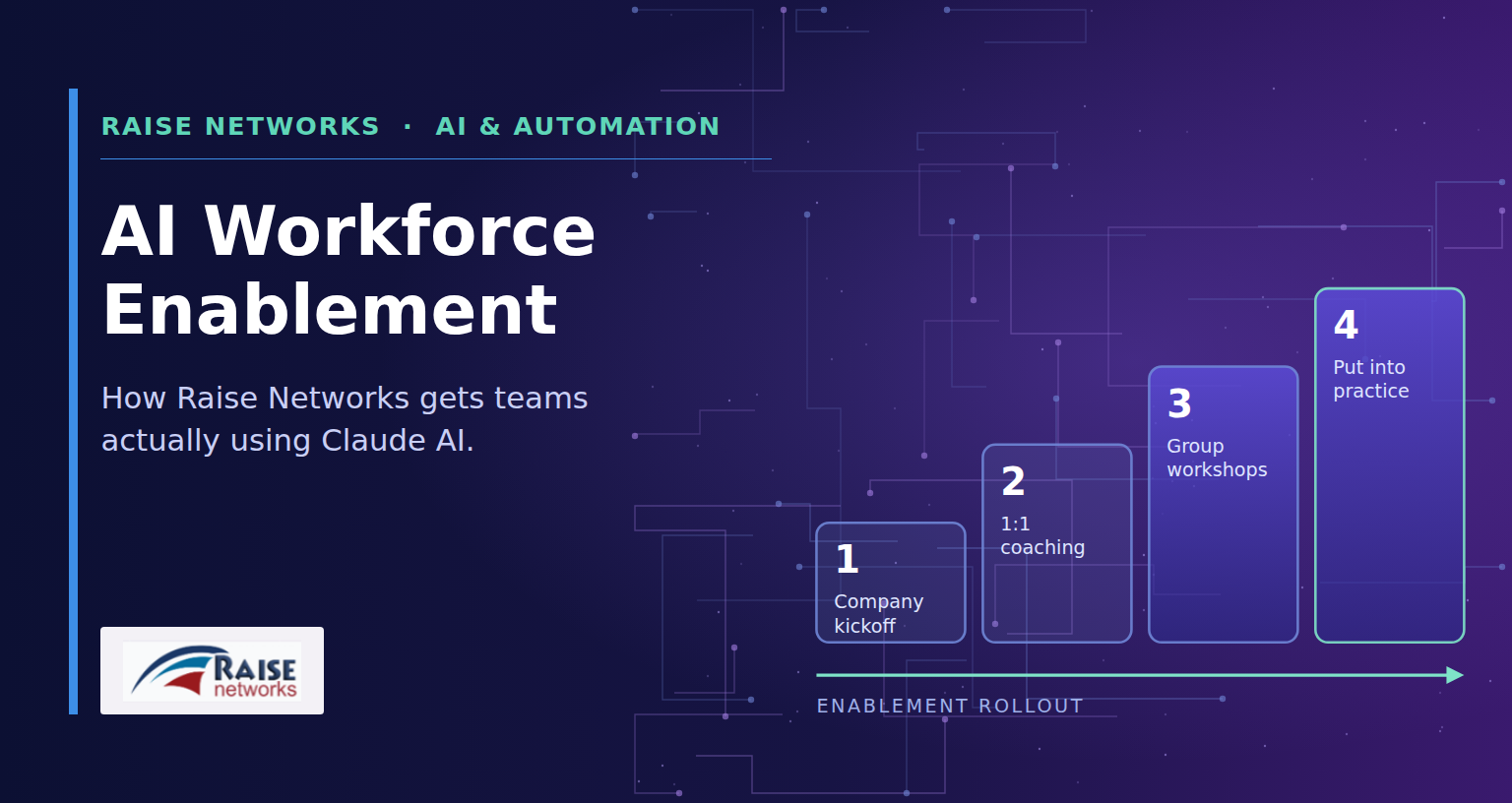
- The program runs from a company-wide kickoff to 1:1 coaching, group workshops, and hands-on practice.
- Every employee finds at least one practical win on work they already do each week.
- Claude is connected to the tools your team already uses through secure, permissioned integrations.
- Security and access questions are answered on day one, which is why adoption sticks.
Most companies don’t have an AI adoption problem. They have an AI enablement problem.
Every week another vendor rolls out a shiny new AI license for the sales team, or leadership announces a new “AI-first” initiative. A few employees experiment for a day, hit a wall, and go back to doing things the old way. Six months later, the tool is still on the books, but almost nobody is using it for anything beyond writing an occasional email draft.
At Raise Networks, we treat that gap as the actual work. Rolling out Claude AI isn’t a software install, it’s a change in how a team spends its day, and that only happens with structure, coaching, and workflows built around how the business actually operates. That is what our Claude AI Workforce Enablement Program delivers.
Training is only step one
We built the program around a simple idea: nobody becomes fluent with a new tool from a single demo. Our engagements run as a structured, multi-week rollout across an entire organization, not a one-time lunch-and-learn.
It starts with a company-wide kickoff that gives everyone, from leadership to frontline staff, a shared understanding of what Claude can and cannot do, how to use it responsibly and securely, and what the program ahead looks like.
From there, we move into three connected stages.
- 1:1 Coaching and Quick Wins. We sit down with each employee, or each team where it makes more sense to work as a group, and map their actual day-to-day work. The goal in this stage is one real, practical win using Claude on a task they already do every week, not a hypothetical use case.
- Group Workshops. We run focused sessions that build and demonstrate shared workflows at a level everyone in the room can use immediately, whether they are brand new to AI or already comfortable with it.
- Put It Into Practice. Employees apply what they’ve learned to real work, with our team providing ongoing support and fine-tuning workflows as questions come up, closing out with a reference guide the company keeps and can train new hires on.
What this looks like in the real world
In a recent engagement with a California-based commercial real estate lending firm, the goal wasn’t to teach the team how to chat with an AI assistant. It was to remove the busywork sitting between them and their actual jobs.
One workflow we built during the rollout: Claude checks unread email, pulls out the deal details, compares the terms against the firm’s current rate sheet, and prepares a draft reply along with a calendar hold, ready for a person to review and send. What used to be several separate steps across email, a spreadsheet, and a calendar becomes one reviewed action.
That is the pattern we look for in every engagement. We are not just teaching people to write better prompts, although we do cover that too (a good prompt needs context, a clear task, and the format you expect back). We are connecting Claude to the tools a team already uses, through secure, permissioned integrations, so the AI is doing real work inside the business rather than sitting in a browser tab.
Security questions come with the territory, and that’s a good thing
Every rollout we run gets the same questions from HR, finance, and leadership: what can this thing actually see, and can it do something we didn’t approve? We address that directly in every kickoff. Claude only works with the data and systems it has been explicitly granted permission to access, and it does not override the admin controls a company already has in place. Getting ahead of that conversation early is part of why adoption sticks instead of stalling out.
Built for growing companies
This program grew out of the same philosophy behind everything we do at Raise Networks: technology should reduce complexity for a growing business, not add another unused tool to the pile. For startups and mid-market companies scaling fast, AI workforce readiness is quickly becoming table stakes, and most teams don’t have the bandwidth to build a training and automation program in-house.
If your team already uses ChatGPT, or a mix of Claude and ChatGPT, the same approach applies: approved business accounts, clear guardrails, and workflows connected to your Microsoft 365, cloud, and business applications. To see where your business sits today, read our guide on how small businesses are adopting AI and the four stages of AI maturity.
That is the gap we close. Whether your team is brand new to AI or already using it in pockets without any real structure, we can build a Claude AI Workforce Enablement Program around your business and connect it to the workflows you already run on.
If you are exploring how to get your team AI ready, we would like to talk.
Frequently asked questions
How do you roll out Claude AI to a team of employees?
Start with a company-wide kickoff that covers what Claude can and cannot do and the rules for secure use. Then coach each person or team on one real task from their week, run group workshops to build shared workflows, and support the team as they apply it to daily work.
What does an AI workforce enablement program include?
Our program includes a kickoff session, 1:1 coaching for quick wins, group workshops, workflow setup connected to your existing tools, ongoing support during the practice phase, and a reference guide your company keeps for training new hires.
What is the difference between AI training and AI enablement?
Training teaches people how a tool works. Enablement changes how work gets done: it maps AI to each person’s real tasks, builds shared workflows, connects AI securely to your systems, and supports the team until the new habits stick.
Can Claude connect to Microsoft 365 or Google Workspace?
Yes. Claude offers connectors for common business tools, including Microsoft 365 and Google Workspace. We set them up with the right permissions so Claude only accesses the data and systems it has been explicitly granted.
Does the program work if our team uses ChatGPT?
Yes. The same approach applies to ChatGPT or a mix of Claude and ChatGPT: approved business accounts, clear guardrails, and workflows connected to your Microsoft 365, cloud, and business applications.
Ready to bring Claude AI workforce enablement to your team? Contact Raise Networks to talk about what an enablement program could look like for your company.